
AI Code Writer for Unit Tests: Generate Reliable Tests, Faster
An ai code writer reads a function or module and writes the unit tests for it — happy paths, edge cases, and error handling — in the framework you already use, whether that’s pytest, Jest, or JUnit. The short answer to «does this actually work» is yes, and for most teams it turns a half-day of test-writing into a ten-minute review.

The catch is that generated tests still need a human pass. An AI unit test generator will occasionally write a test that runs green but doesn’t actually assert anything meaningful, which is worse than no test at all if nobody catches it. What follows is how to get tests you can trust out of an AI coding assistant, framework by framework.
Can an AI Code Writer Really Write Unit Tests?
Before trusting a machine to write tests, it helps to be precise about what a test is supposed to do in the first place.
What a unit test actually is
A unit test checks a single «unit» of code — usually one function or method — in isolation from the rest of the system. According to Wikipedia’s entry on unit testing, the practice originated to let developers verify that individual modules of source code behave as intended, independently of any other code they call. That isolation is exactly what makes unit tests useful: they run in milliseconds, they produce the same result every time, and when one fails, the bug is almost always in the function under test, not somewhere three services away.
Yes — and it is now a mainstream workflow
An AI code writer for tests reads a function, infers what it’s supposed to do from its signature and logic, and produces a set of test cases without a developer typing assert by hand. This isn’t a fringe experiment: spending on generative AI tooling for software development runs into the tens of billions of dollars a year, yet a majority of engineering teams still report friction actually rolling AI-generated tests into their pipelines — the demand is real, but doing it well takes a deliberate workflow rather than blind trust in autocomplete. On the enterprise end, Diffblue has stated its AI testing agent has generated and validated over 199 million lines of test code across production codebases. The tools doing this work fall into two rough categories:
- General-purpose coding assistants with test-generation built in — GitHub Copilot, JetBrains AI Assistant
- Dedicated test generators built specifically for unit tests — CodeGPT, Diffblue Cover
How an AI Code Writer Turns a Function Into Tests
The quality of what comes back depends heavily on what you feed in.
Feed it a small, focused unit
An AI unit test generator does its best work on a single, well-scoped function rather than an entire file. Long, multi-purpose blocks with several responsibilities confuse the model’s read on what actually needs testing, and the resulting cases tend to be shallow or redundant. The practical fix is to generate tests one function or method at a time, especially for anything with branching logic.
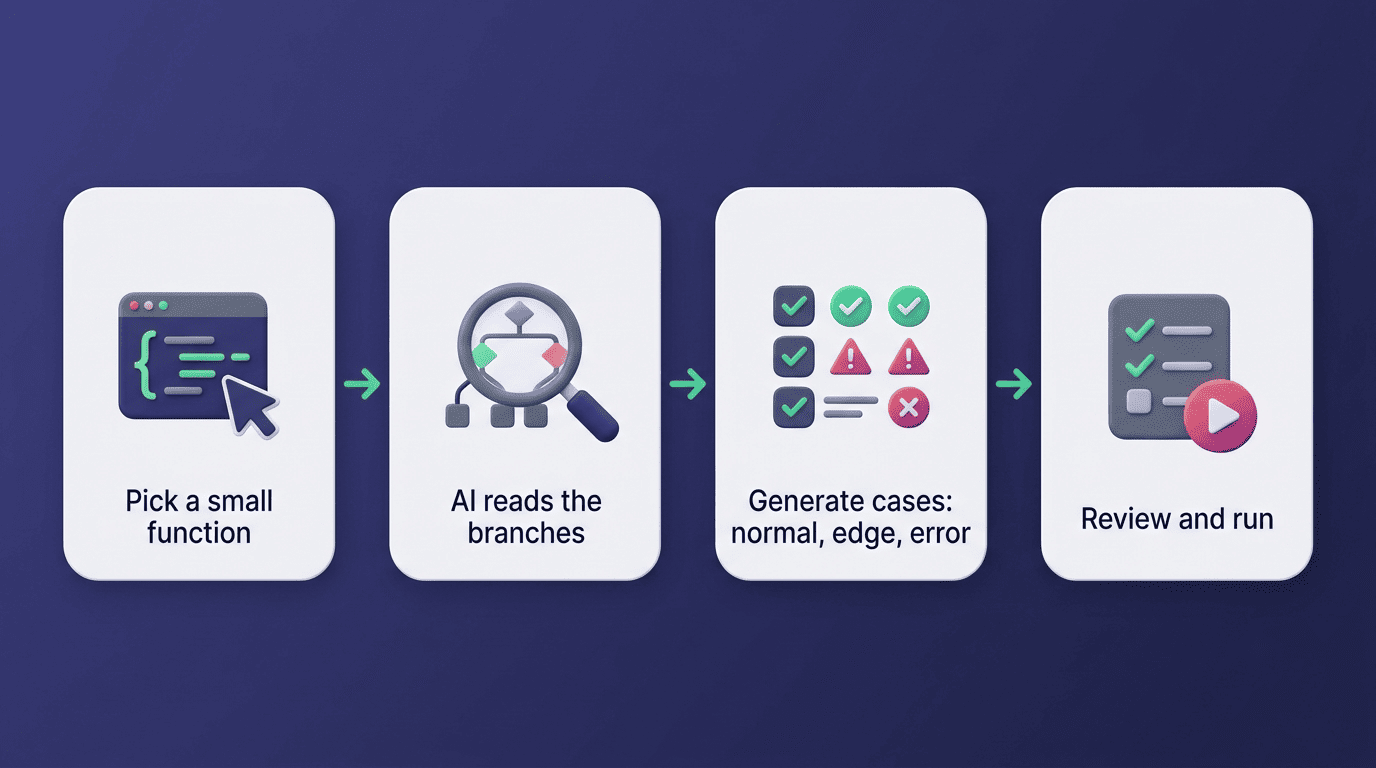
From signature to test cases
Given a function signature, the AI unit test case generator parses parameter types, return types, and conditional branches, then writes one case per branch: a normal input, a boundary input, and an invalid one. A useful prompt spells out three things explicitly — the language, the target framework, and an instruction to «cover normal, edge, and error cases» — because a vague request like «write tests for this» tends to produce only the happy path.
Edge Cases: Where AI Saves You the Most
This is the part developers under-test most often when writing by hand, and it’s where an AI testing agent earns its keep.
- Null or
Noneinputs where a value is expected - Empty collections — lists, strings, dictionaries with zero elements
- Numeric boundaries: zero, negative one, minimum and maximum integer values
- Integer or buffer overflow conditions
- Duplicate entries in a set that should be unique
- Unicode and non-ASCII text in string-handling code
- Concurrent access to shared state
The cases humans skip
AI-powered unit test generators are tuned to target exactly this list — null, empty, boundary, and max-value inputs are the categories they flag most consistently, because those are also the categories most likely to slip past a rushed manual review. In practice, an AI code assistant for tests will often surface three or more edge cases on a single function that the original author never considered, simply because it isn’t fatigued or working from assumptions about «how this function is normally called.»
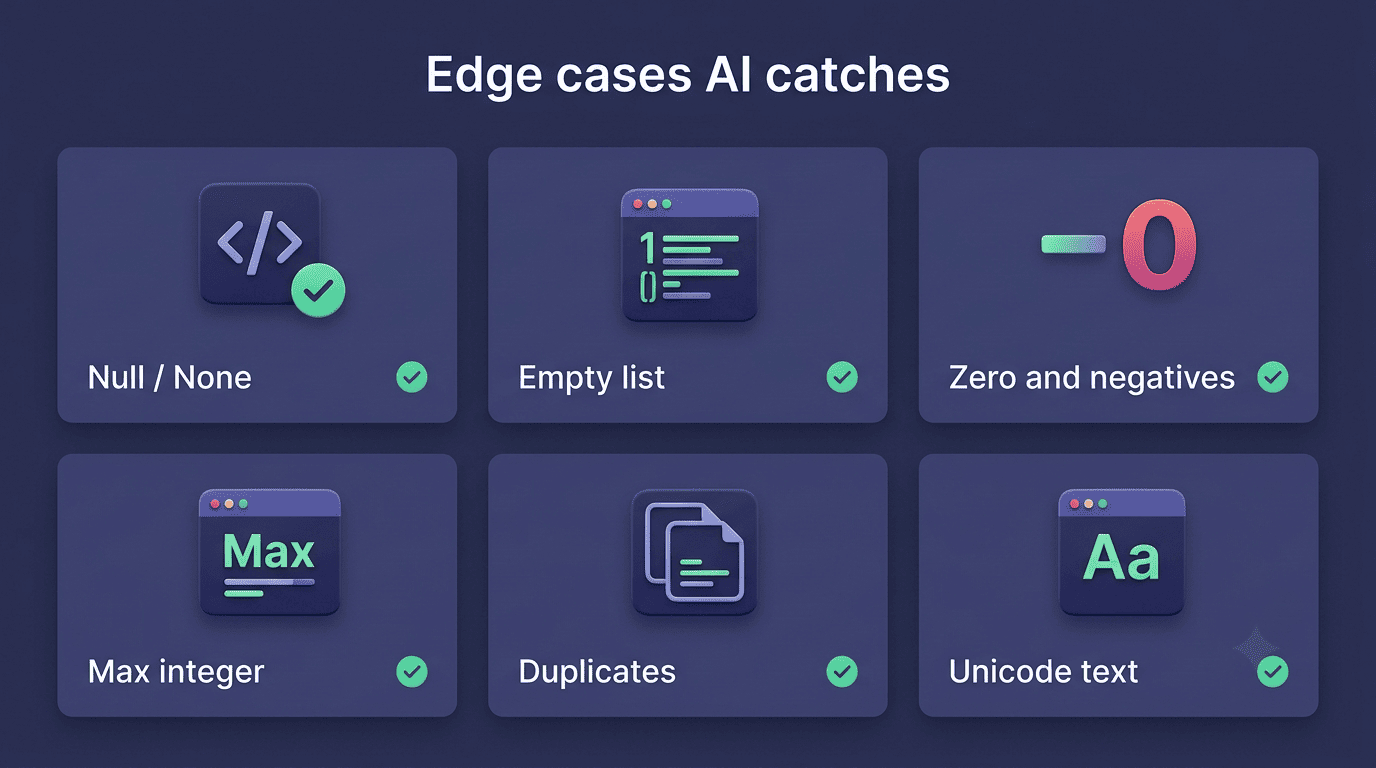
Turning edge cases into assertions
Every edge case earns its own test with an explicit assertion — not a comment, not a TODO, an actual assert or expect. For a division function, that means one test where the denominator is a normal number, and a separate test that calls the function with zero and asserts it raises the correct exception rather than returning Infinity or crashing silently.
Picking a Framework: pytest, Jest, or JUnit
A capable ai code writer tool doesn’t lock you into one ecosystem — it generates idiomatic tests for whichever framework your codebase already runs on, and most modern generators support pytest, Jest, Mocha, JUnit, and XUnit out of the box, often 50 or more frameworks in total once you count language variants.
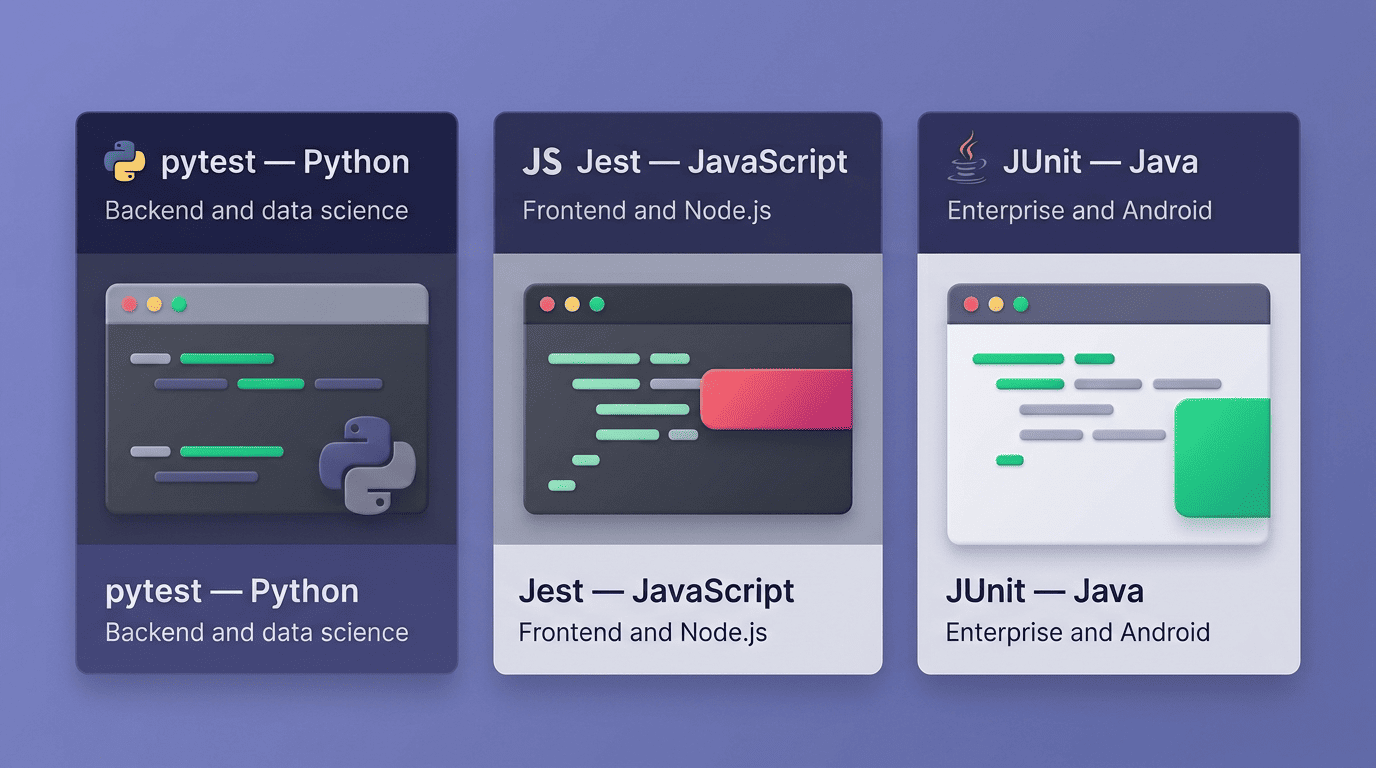
Match the framework to the language
pytest is the default choice for Python projects, prized for its plain assert statements and fixture system; the official pytest documentation is the reference most teams keep open while writing or reviewing generated tests. Jest covers JavaScript and TypeScript, bundling mocking, snapshot testing, and an assertion library in one package — see the Jest documentation for the full API. JUnit is the standard for Java, built around annotations like @Test and widely documented at junit.org. A solid ai code writer tool generates clean tests in whichever of these three you’re already standardized on, so the framework choice stays a language decision, not an AI-tooling decision.
Comparison table
| Framework | Language | Style | Best for |
|---|---|---|---|
| pytest | Python | Fixtures, plain assert statements | Data science, backend services |
| Jest | JavaScript / TypeScript | Built-in mocks, snapshot testing | Frontend apps, Node.js services |
| JUnit | Java | Annotations, @Test methods | Enterprise systems, Android |
Anatomy of a Good Test: The AAA Pattern
The single biggest quality gap between a rushed AI-generated test and a genuinely useful one is structure, and structure starts with AAA.
Arrange, Act, Assert
Well-formed unit tests follow the AAA pattern: Arrange sets up the inputs and any objects the test needs, Act calls the unit under test exactly once, and Assert checks that the result matches what was expected. A capable AI unit test generator organizes its output this way by default, which is what makes a generated test readable at a glance instead of a wall of setup code with the actual check buried at the bottom.
One goal of unit testing is to isolate each part of the program and show that the individual parts are correct.
Wikipedia, «Unit testing»
That framing matters for AI-generated suites specifically: when a generator struggles to isolate a function cleanly, it’s often surfacing a real design problem — a function that reaches into global state or an untestable dependency — rather than a limitation of the tool itself.
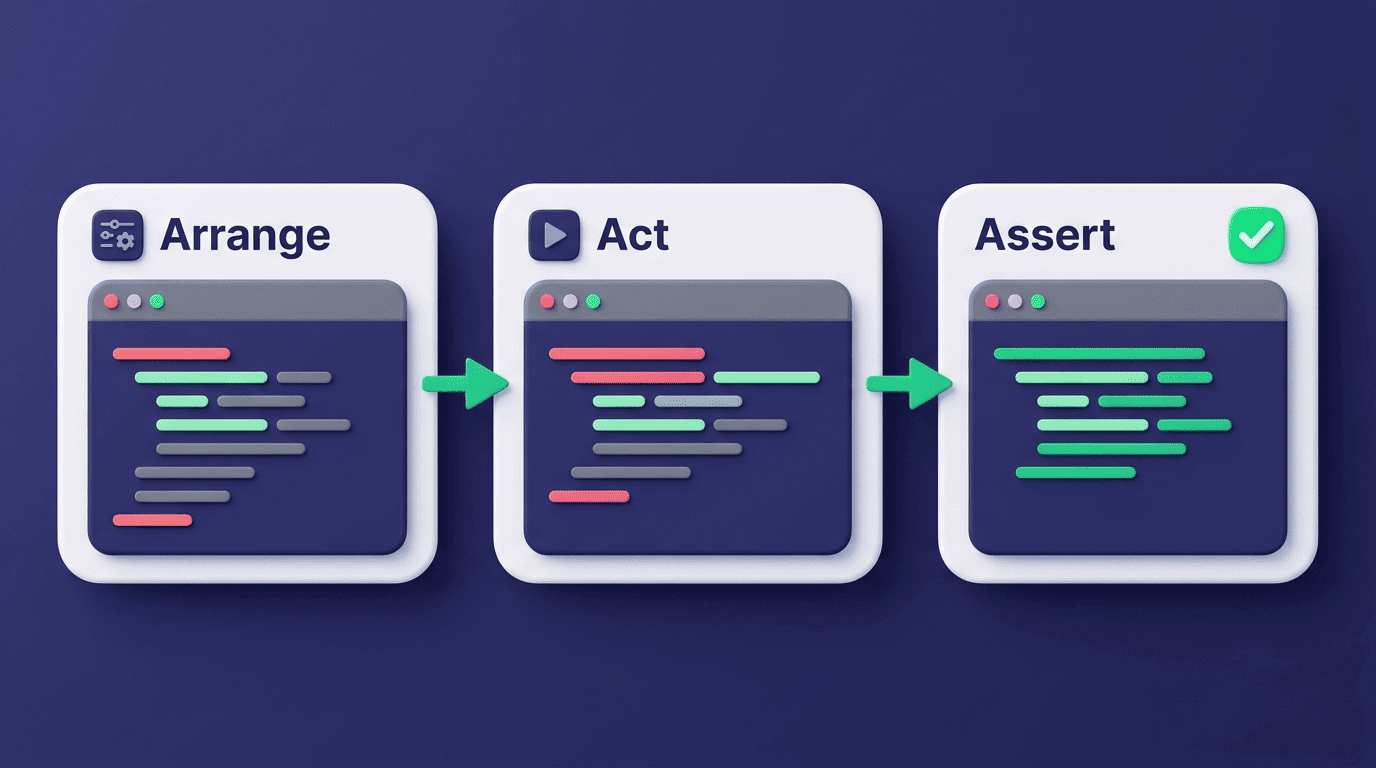
One behavior per test
Each test should verify exactly one behavior and carry a name that says what it checks — test_divide_by_zero_raises_value_error, not test_divide_1. A test named for its behavior turns a red CI run into a diagnosis instead of a scavenger hunt: you read the test name and know what broke before opening the file.
Mocking Dependencies So the Unit Stays Isolated
A unit test that quietly calls a real database is not really a unit test anymore — this is where mocking earns its place.
Why mock at all. A unit test that reaches across the network or into a database stops being fast and stops being deterministic; it becomes flaky and slow, and flaky tests get ignored, which defeats the purpose of writing them. Mocking and stubs replace a real dependency with a predictable stand-in, so the test only ever exercises the logic it’s meant to check.
Let the AI stub the boundaries. AI code writers can generate mocks and stubs for the usual suspects without the developer hand-rolling a fake object each time:
- HTTP clients and third-party API calls
- Database queries and connections
- Filesystem reads and writes
- Timers, clocks, and randomness
A typical case: mock an API response as a 500 error, then assert that the function under test parses that response and raises the correct application-level exception rather than an unhandled one.
Watch for over-mocking. A generator given too little context sometimes mocks a dependency that should have been left real, or mocks so deep into the call stack that the test stops verifying anything meaningful — reviewing what got mocked, and why, is part of reading the generated test, not an optional extra step.
Coverage and Mutation Testing: Proving the Tests Work
Passing tests and useful tests are not the same thing, and this is where the two most common metrics come in.
Coverage is a floor, not a goal
Line coverage measures which lines of code actually executed during a test run. In one documented case, generating tests specifically for previously untested functions raised a codebase’s line coverage from roughly 65% to 78%. That’s a meaningful jump — but 100% line coverage only proves every line ran, not that anything meaningful was asserted about the result.
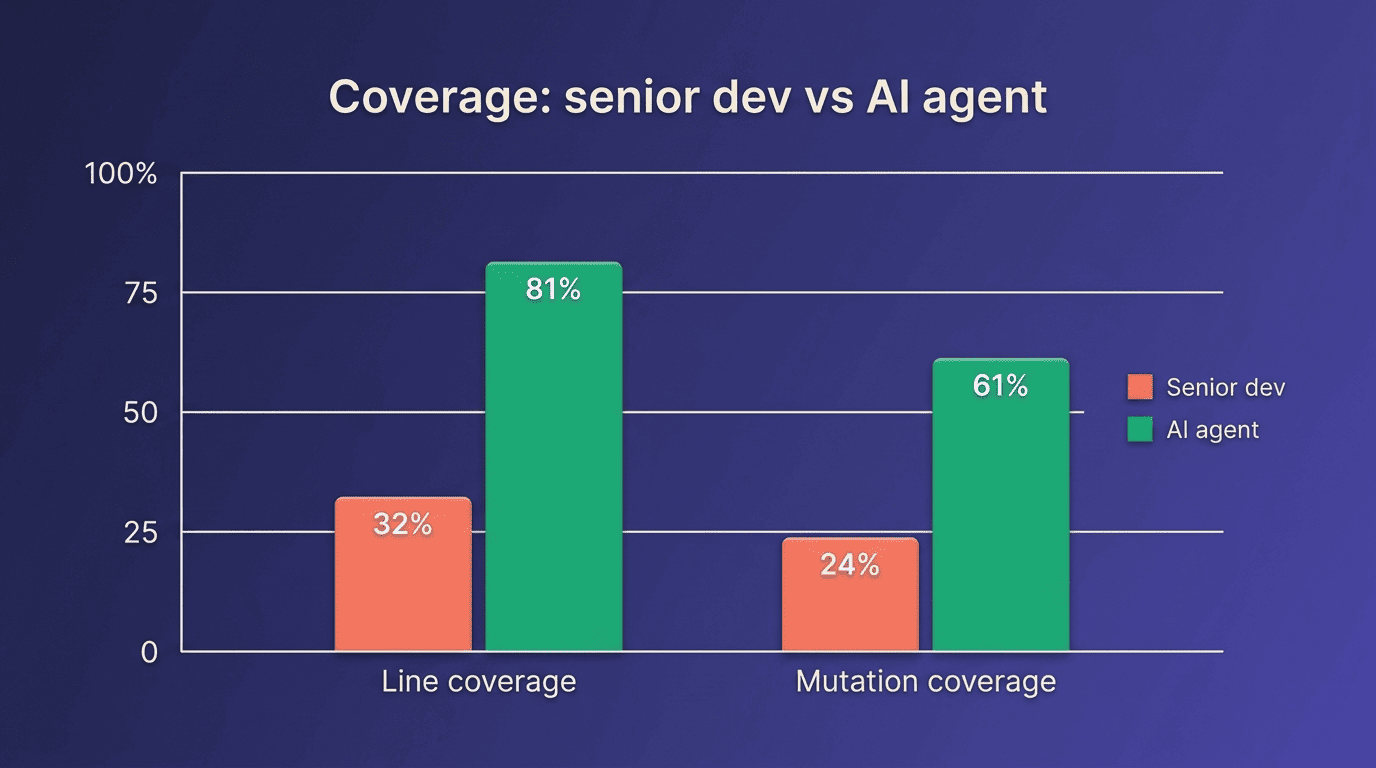
Mutation testing checks assert quality
Mutation testing takes coverage a step further: it deliberately introduces small bugs («mutants») into the code and checks whether the existing tests catch them. If a mutant survives — the code changed but every test still passes — the assertions in that test suite aren’t actually checking the right things.
| Metric | Claude + senior developer | AI testing agent + Claude |
|---|---|---|
| Line coverage | 32.3% | 80.7% |
| Mutation coverage | 24.2% | 61.3% |
| Manual effort required | ~8.5 hours | Setup only |
That comparison comes from a benchmark across eight Java repositories totalling 31,069 coverable lines, all of which started from 0% test coverage before either approach began — the mutation score gap (61.3% vs 24.2%) is the more telling number of the two, since it reflects assertion quality rather than just line execution. The takeaway: chase strong assertions and a healthy mutation score, not a coverage percentage in isolation.
TDD With an AI Code Writer
Tests first, code second
The classic test-driven development cycle is red-green-refactor: write a failing test, write just enough code to pass it, then clean up. Writing tests before implementation is a widely recommended practice precisely because it forces you to define expected behavior before you’re biased by how you happened to build it. An ai code writing assistant lets you flip the usual order without extra friction — you write the test cases for the behavior you want, and the assistant generates an implementation that satisfies them, which is a genuinely different workflow than asking it to test code that already exists.
- Describe the function’s expected behavior in plain language or a stub signature
- Write (or have the AI draft) the test cases first, covering normal, edge, and error paths
- Run the tests and confirm they fail for the right reason — the function doesn’t exist yet
- Ask the AI code writing assistant to generate an implementation that satisfies those tests
- Run the suite again and read every assertion, not just the pass/fail summary
- Refactor the implementation while the tests stay green
- Commit only after a human has read the diff, not just the test output
Keep the human in the loop
AI-generated tests can pass or fail for the wrong reasons — a test that’s technically green but checks nothing, or one that fails because the AI misunderstood the intended behavior rather than because the code is actually broken. Treat every generated suite the same way: run it, read the assertions line by line, and check what got mocked before merging anything on the strength of a green checkmark alone.