
Using an AI Code Writer for TypeScript: Types, Generics, and Fewer Errors
Static typing on top of plain JavaScript is the whole appeal of TypeScript, and that discipline is exactly where an ai code writer shines — it turns a plain-English request into type-safe code instead of loose JavaScript. As Wikipedia’s TypeScript entry puts it, the language is a strict syntactical superset of JavaScript that compiles down to plain JS, so an AI assistant working inside those rules can reliably return typed parameters, a typed return value, and often the interface behind them.
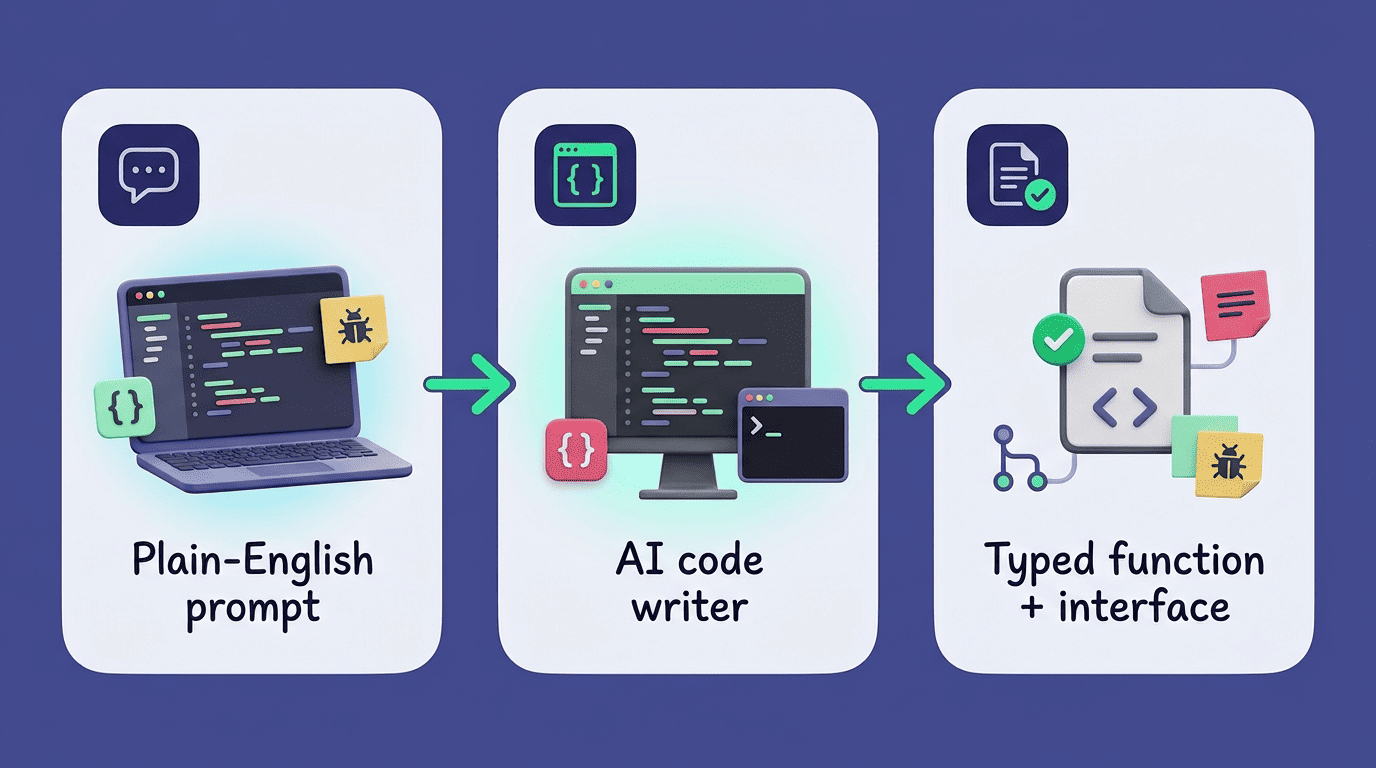
This guide covers what that actually looks like in practice: generating typed functions and interfaces, adding types to an existing JavaScript codebase, explaining generics and utility types in plain English, fixing type errors, and scaffolding a sensible tsconfig.json plus unit tests.
Can an AI Code Writer Really Write TypeScript?
TypeScript is not a separate language bolted onto JavaScript — it is a superset, meaning every valid JavaScript file is also valid TypeScript, with optional static typing layered on top. It was designed at Microsoft under Anders Hejlsberg and Luke Hoban, first released on 1 October 2012, and it compiles down to plain JavaScript that runs anywhere JS already runs. Because its type system is structured and rule-based rather than freeform, an AI TypeScript code generator can apply those rules consistently instead of guessing.
TypeScript adds additional syntax to JavaScript to support a tighter integration with your editor. Catch errors early in your editor.
TypeScript Handbook
That framing, from the TypeScript Handbook, is the whole pitch for pairing AI with typed code: the assistant and the compiler check each other’s work before anything ships. Because TypeScript’s rules are explicit — a function signature either matches its call sites or it doesn’t — an AI TypeScript assistant has a clear target to generate against. It isn’t inventing style; it’s satisfying a type checker, which makes its output easier to trust than free-form code suggestions.

Type a request like «write a function that formats a price,» and a TypeScript AI assistant returns a function with parameter and return-type annotations already attached, not just working logic. The tools that do this split into two broad groups:
- Web-based generators — no login required, often capped around five free generations a day.
- IDE-embedded assistants — plugged directly into the editor, such as GitHub Copilot.
- Autocomplete-style layers — Tabnine, used by more than a million developers, suggests typed completions as you write.
- Chat-style VS Code extensions — prompt in a side panel and paste the typed result straight into the file.
Both broad groups lean on the same underlying idea — a type-safe code generation loop between your prompt and the compiler.
Generating Typed Functions and Interfaces
TypeScript’s primitive types map directly onto everyday JavaScript values: string, number, and boolean each have a one-to-one equivalent, and arrays are written as number[] or the equivalent Array<number>. An AI code writer applies these consistently the moment it infers what a variable holds, which is the foundation everyday-types documentation on typescriptlang.org walks through in detail.
Typed functions
Ask for a typed function and the assistant annotates every parameter and the return value, rather than leaving them implicit. A price-formatting helper, for instance, comes back as function formatPrice(amount: number): string, with the primitive types spelled out so mismatched calls fail at compile time instead of at runtime.
Interfaces vs type aliases
For anything shaped like an object, the AI-powered TypeScript code generator typically produces an interface: interface User { id: number; name: string; email?: string }. Interfaces and type aliases both describe object shapes, but they aren’t interchangeable — interfaces can be reopened later through declaration merging, while type aliases cannot be redeclared. The ? after email marks that property optional, so objects without it still satisfy the type.
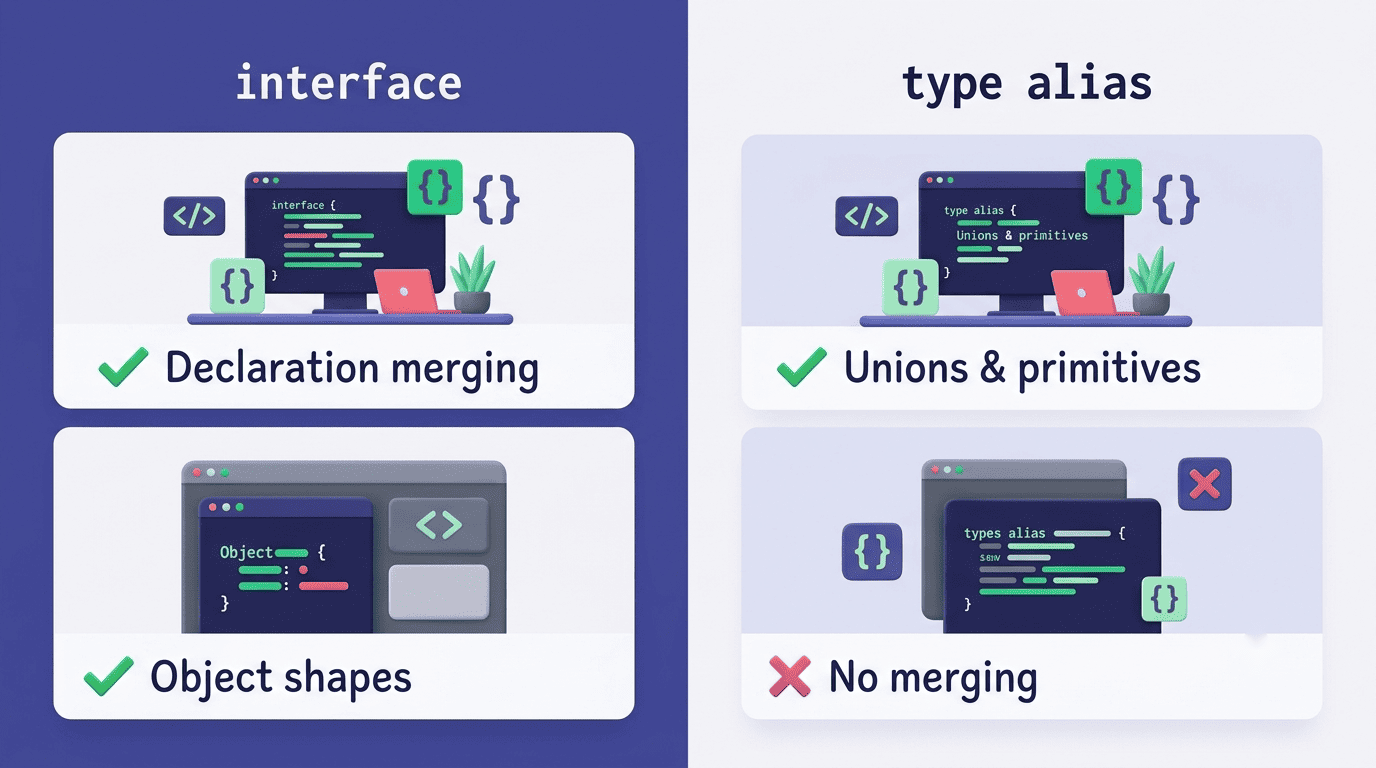
Here’s how the two most common typed structures compare in practice:
| Feature | Interface | Type alias |
|---|---|---|
| Declaration merging | Supported (can extend later) | Not supported |
| Object shapes | Yes | Yes |
| Unions and primitives | No | Yes |
| Typical AI output for objects | Default choice | Used for unions/aliases |
Adding Types to Existing JavaScript (JS → TS Migration)
Most teams don’t start a project in TypeScript — they migrate one. An AI code writer can turn an untyped JavaScript file into a typed one incrementally, rather than demanding a rewrite. It adds parameter and return-type annotations, builds interfaces for object literals it recognizes, and replaces loose any types with the specific shapes it infers from usage.
What the AI changes
A typical JS-to-TS pass from an AI code writer touches several things at once:
- Adds parameter and return-type annotations to existing functions.
- Creates interfaces for object shapes it recognizes from usage.
- Replaces loose
anytypes with the specific types it infers. - Inserts type guards where a value needs runtime narrowing.
- Generates
.d.tsdeclaration files for untyped JavaScript libraries — a gap explained on MDN’s TypeScript glossary entry.
It can operate file by file or sweep a whole codebase, tagging spots that still need manual review.
Doing it incrementally
TypeScript’s type system spans a spectrum, and most migrations move along it gradually rather than jumping straight to the strict end:
- Duck typed — shapes are assumed compatible if they look alike; closest to plain JavaScript.
- Gradual — some values typed, others left as
anywhile the migration is in progress. - Structural — types are compared by shape, not by name, which is how TypeScript checks compatibility.
- Strict — every relevant compiler flag turned on, the end state of a completed migration.
Rather than flipping every strict flag at once, an AI code writer for TypeScript typically suggests turning options on one at a time — noImplicitAny first, then strictNullChecks — so each change surfaces a manageable batch of new errors instead of hundreds at once.
Explaining Generics and Utility Types
Generics let a function or type stay reusable without giving up type information, and they’re one of the harder TypeScript concepts to internalize from documentation alone — which is where an AI TypeScript assistant earns its keep.
Generics in plain English
The canonical teaching example is the identity function: function identity<Type>(arg: Type): Type { return arg; }. Ask an assistant to explain it and it will walk through why Type is a placeholder filled in at the call site, preserving the exact input type on the way out — something any cannot do, because any discards type information entirely.
That’s a mechanic the TypeScript Handbook itself spells out when it introduces the syntax:
We will use a type variable, a special kind of variable that works on types rather than values.
TypeScript Handbook
A good AI explanation of generics usually lands close to that same description, because the underlying mechanics don’t change from one context to the next.
Utility types cheat sheet
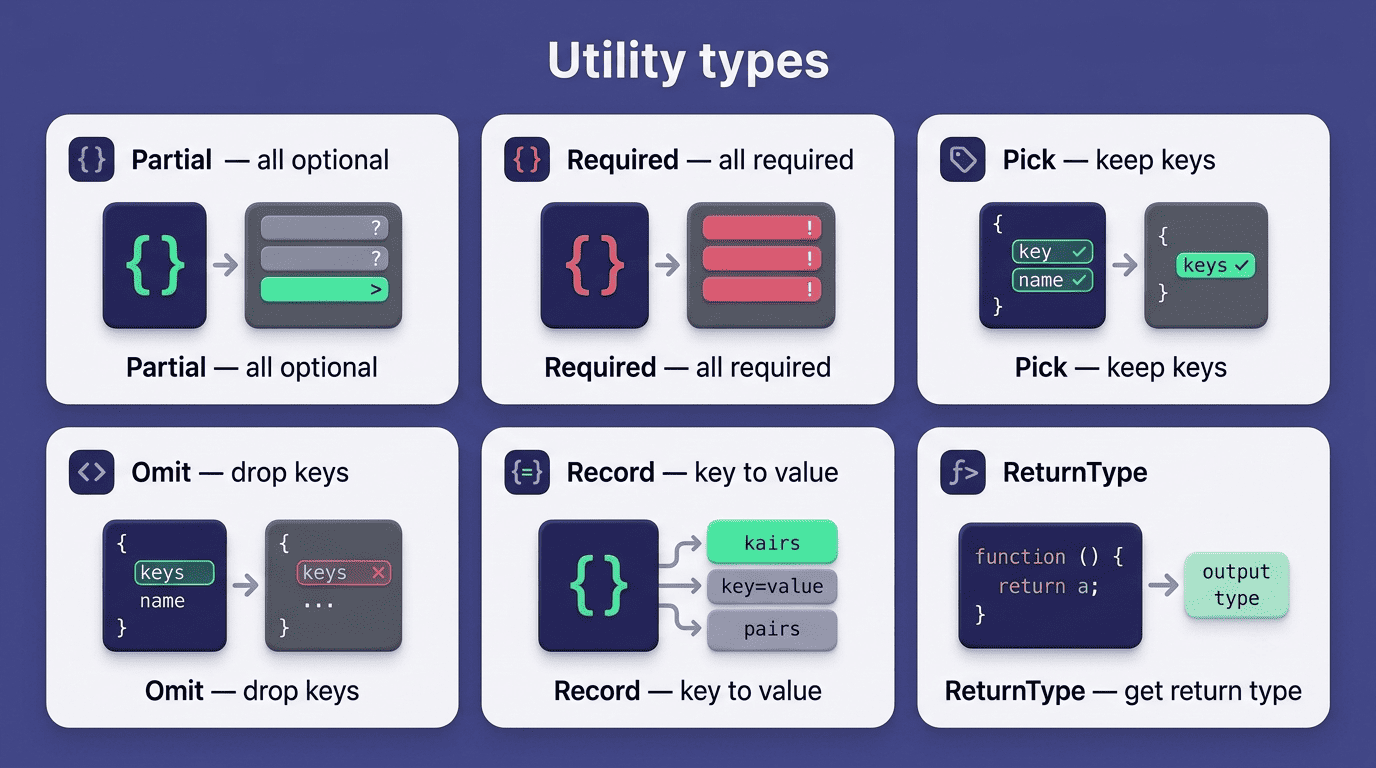
Utility types transform an existing type instead of forcing you to write a new one from scratch. An AI code writer reaches for these constantly when generating typed functions and interfaces:
| Utility type | What it does |
|---|---|
Partial<T> | Makes every property optional |
Required<T> | Makes every property mandatory |
Pick<T, K> | Keeps only the listed keys |
Omit<T, K> | Drops the listed keys |
Record<K, T> | Builds an object type with fixed key set mapped to a value type |
ReturnType<T> | Extracts a function’s return type as a standalone type |
Full definitions and edge cases live in the utility types handbook page.
Fixing Type Errors and Debugging
A handful of errors show up constantly in TypeScript projects:
Type 'string' is not assignable to type 'number'.Object is possibly 'undefined'.Property 'x' does not exist on type 'Y'.Argument of type 'A' is not assignable to parameter of type 'B'.
Paste any of these into an AI code writer and it explains the mismatch in context, then proposes a typed fix rather than just suppressing the error with any. That workflow leans on the same compiler options discussed above — noImplicitAny catches untyped parameters before they cause the first error, and strictNullChecks is usually the source of the «possibly undefined» class of complaint.
Paste the error, get an explanation. Rather than guessing at a fix, describe the error message and the surrounding function; the assistant traces which value doesn’t match the declared type and suggests a narrowing check, a type assertion where it’s genuinely safe, or a corrected annotation.
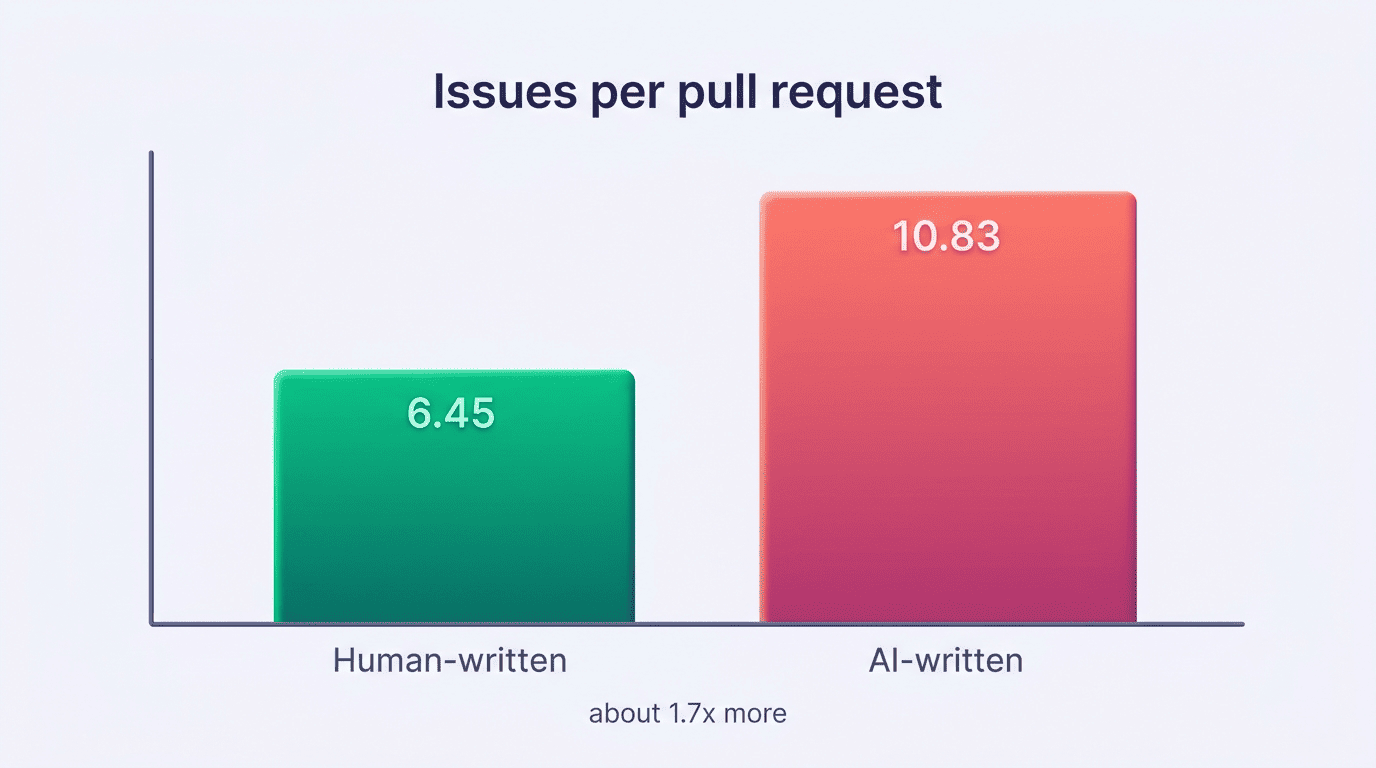
Types and tests beat vibes. AI-generated code isn’t automatically more reliable than hand-written code — a December 2025 CodeRabbit analysis of 470 real-world GitHub pull requests found AI-authored changes averaged roughly 1.7 times more issues than human-written ones. That’s exactly why static types paired with generated unit tests matter as a safety net rather than an afterthought.
A typed function with a Jest or Vitest suite catches regressions that a compiler alone would miss, because tests check behavior while types only check shape.
tsconfig, Strict Mode, and Tests
A project’s tsconfig.json is where all of this gets enforced, and it’s a natural thing to have an AI code writer scaffold for you.
A sensible starter tsconfig
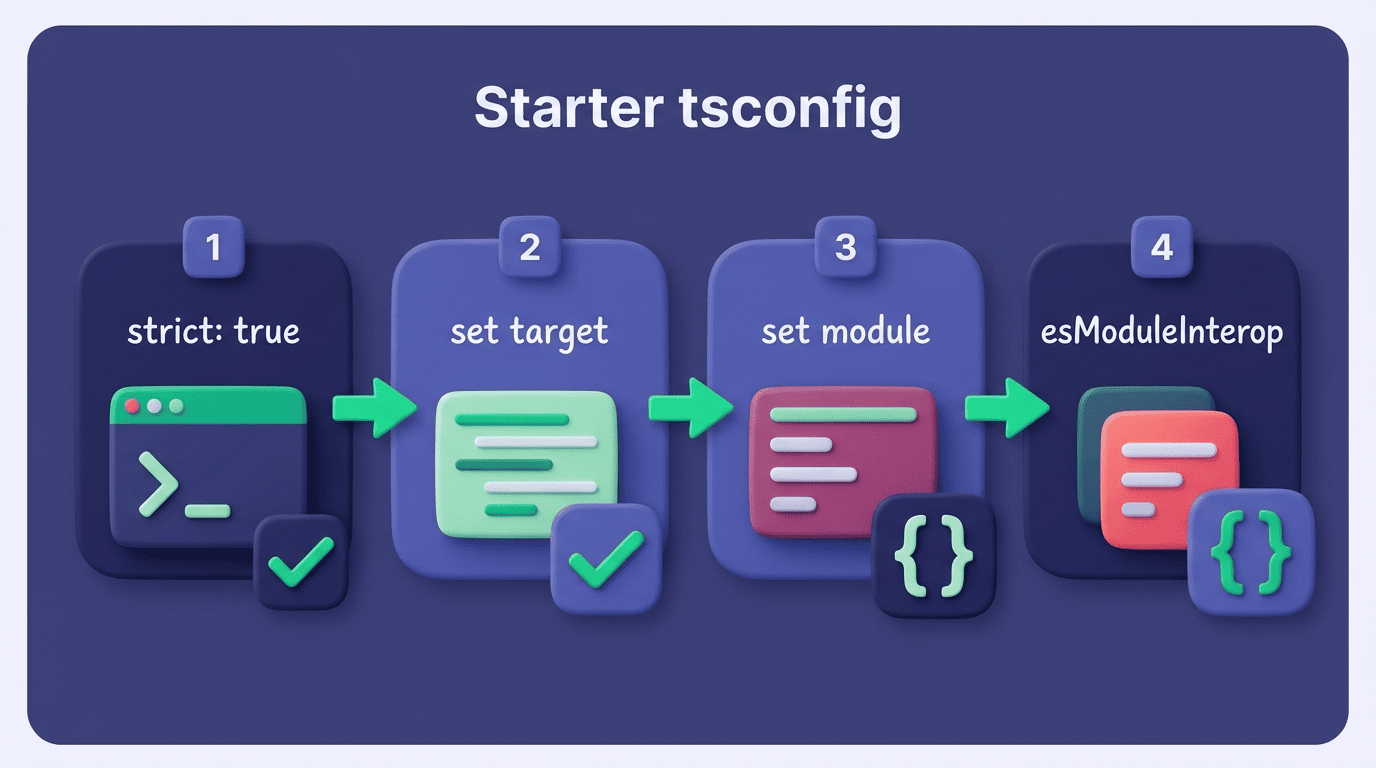
Here’s a reasonable sequence for asking an assistant to set one up:
- Request a
tsconfig.jsonwithstrict: trueenabled from the start. - Set
targetto the JavaScript version your runtime supports. - Choose a
modulesetting that matches your bundler or Node’s module system. - Enable
esModuleInteropso default-import syntax works with CommonJS packages. - Ask the assistant to explain each flag it added, not just list them.
- Run the compiler once with no source files to confirm the config itself is valid.
- Add source files back in and fix errors in small batches rather than all at once.
strict isn’t a single switch — it’s a bundle that turns on noImplicitAny, strictNullChecks, and several related checks together, which is why AI-generated starter configs default to it rather than adding flags piecemeal.
Generating tests for typed code
Once a function has a type signature, an AI code writer can generate a Jest or Vitest suite that exercises that exact contract — valid inputs, boundary cases, and typed mocks that match the interface instead of loose stand-ins. Because the function’s types are already known, the generated tests tend to cover the argument shapes that actually matter rather than arbitrary examples.