
AI Code Writer for SQL: Turn Plain English Into Queries That Just Work
An AI code writer for SQL turns a plain-English request like «top 10 customers by revenue last quarter» into a ready-to-run query. A capable ai code writer does this across dialects, explains the result, and helps you fix it when it breaks. You describe what you want; the tool maps that intent onto your actual tables and returns working SQL instead of a syntax puzzle.
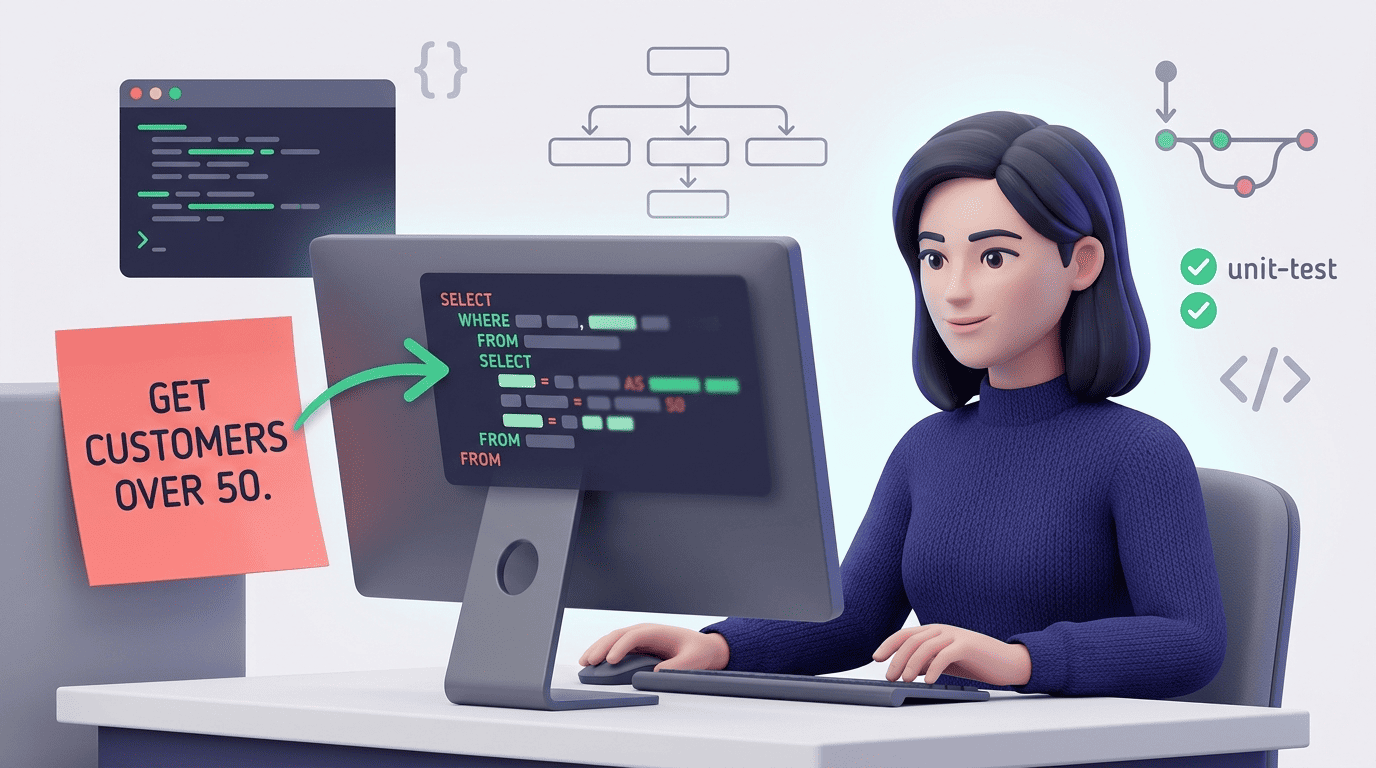
This piece walks through how generation works under the hood, how these tools explain complex JOINs, how they optimize slow queries, how they handle the gap between Postgres, MySQL, and SQLite, and where a human still needs to step in before anything touches production data.
How an AI Code Writer Turns Plain English Into SQL
Generating SQL from a sentence sounds simple until the tool has to guess which table «customers» actually means. The pipeline behind an AI SQL query generator has three moving parts: your natural-language request, a language model that maps that request onto database structure, and a schema that tells the model what structure actually exists.
The tool reads your request and your table and column names, and an LLM maps the intent onto the schema before emitting SQL. Say you type «show me the five customers who spent the most last quarter, with their email.» A schema-aware writer resolves that into something like:
SELECT c.id, c.email, SUM(o.total) AS revenue
FROM customers c
JOIN orders o ON o.customer_id = c.id
WHERE o.created_at >= '2026-04-01'
GROUP BY c.id, c.email
ORDER BY revenue DESC
LIMIT 5;
Uploading a schema is what separates a guess from a correct query — vendors report it reduces errors and optimizes joins and filters rather than leaving the model to infer column names from context alone. Tools built around this workflow have processed real production volume: one AI SQL writer reports over 25 million generated queries, another counts 256,000+ users, and a third serves 50,000+ developers across 80+ countries — evidence this is now a mainstream way to write SQL, not a novelty.
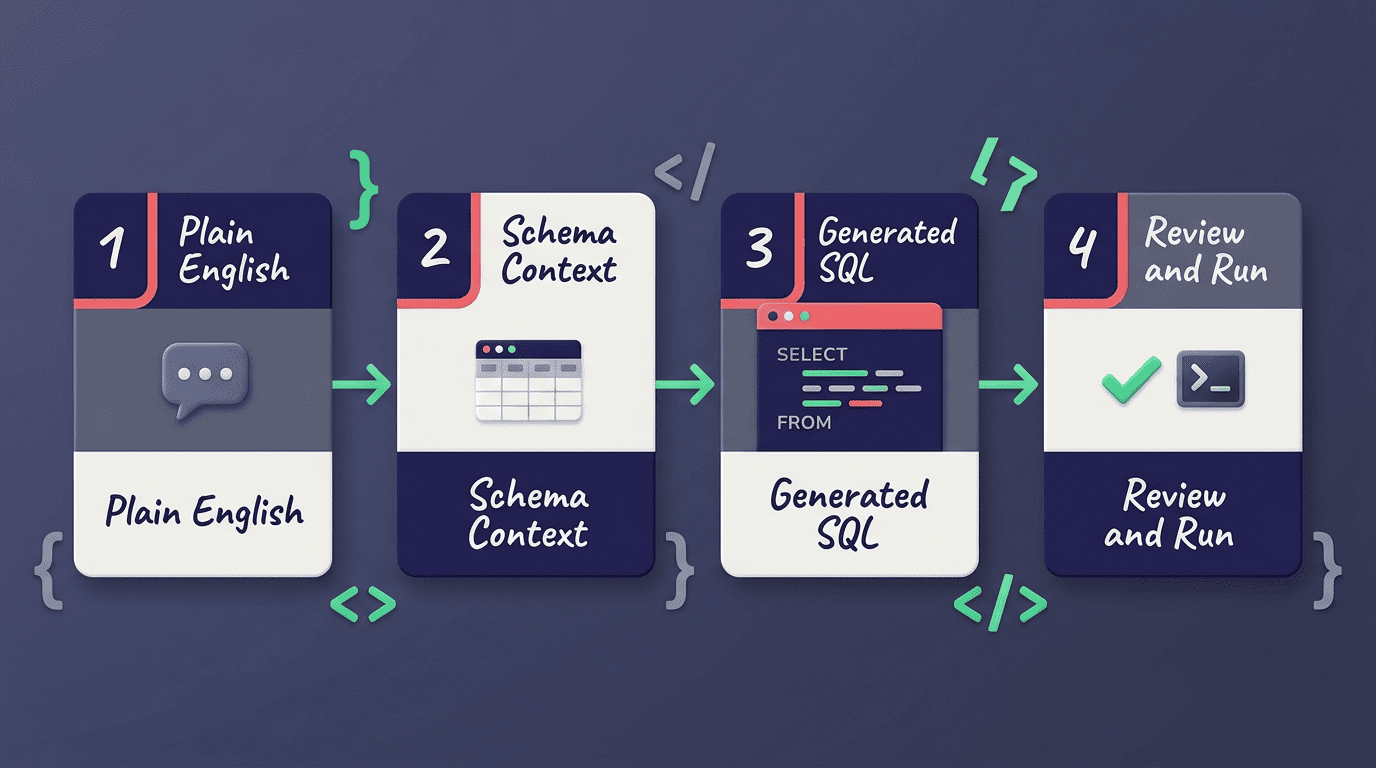
Without column names and relationships, the model guesses that orders.customer_id points at customers.id — and sometimes it guesses wrong. With schema context, that join path is known rather than inferred, and ambiguous column names (two tables with an id or status column) get resolved correctly instead of silently.
Reputable tools follow privacy patterns worth checking for before you connect a database: sending schema structure only (not row data), keeping credentials local to your machine, and defaulting new connections to read-only. SQL itself is a decades-old standard, not a vendor invention. As Wikipedia defines it:
Structured Query Language (SQL) is a domain-specific language used to manage data, especially in a relational database management system (RDBMS).
Wikipedia
That standard is exactly why an AI SQL writer trained on it can generalize across schemas it has never seen before — the grammar of SELECT, JOIN, and GROUP BY doesn’t change from one database to the next, only the table names do.
Explaining Complex JOINs and Existing Queries
Generation is half the job. The other half is making sense of SQL someone else wrote — a 200-line report query, a legacy view, a JOIN chain five tables deep. An AI SQL explainer reads that query and returns a plain-language walkthrough instead of leaving you to trace it line by line.
Reading a query you didn’t write
Paste a gnarly multi-table query and a text-to-SQL tool breaks it down clause by clause: what each JOIN connects, what the WHERE filters out, what GROUP BY collapses, and what the final SELECT actually returns. That’s useful for onboarding onto an unfamiliar codebase and for debugging — you can spot the clause that’s producing duplicate rows or dropping records you expected to see.
JOIN types in plain terms
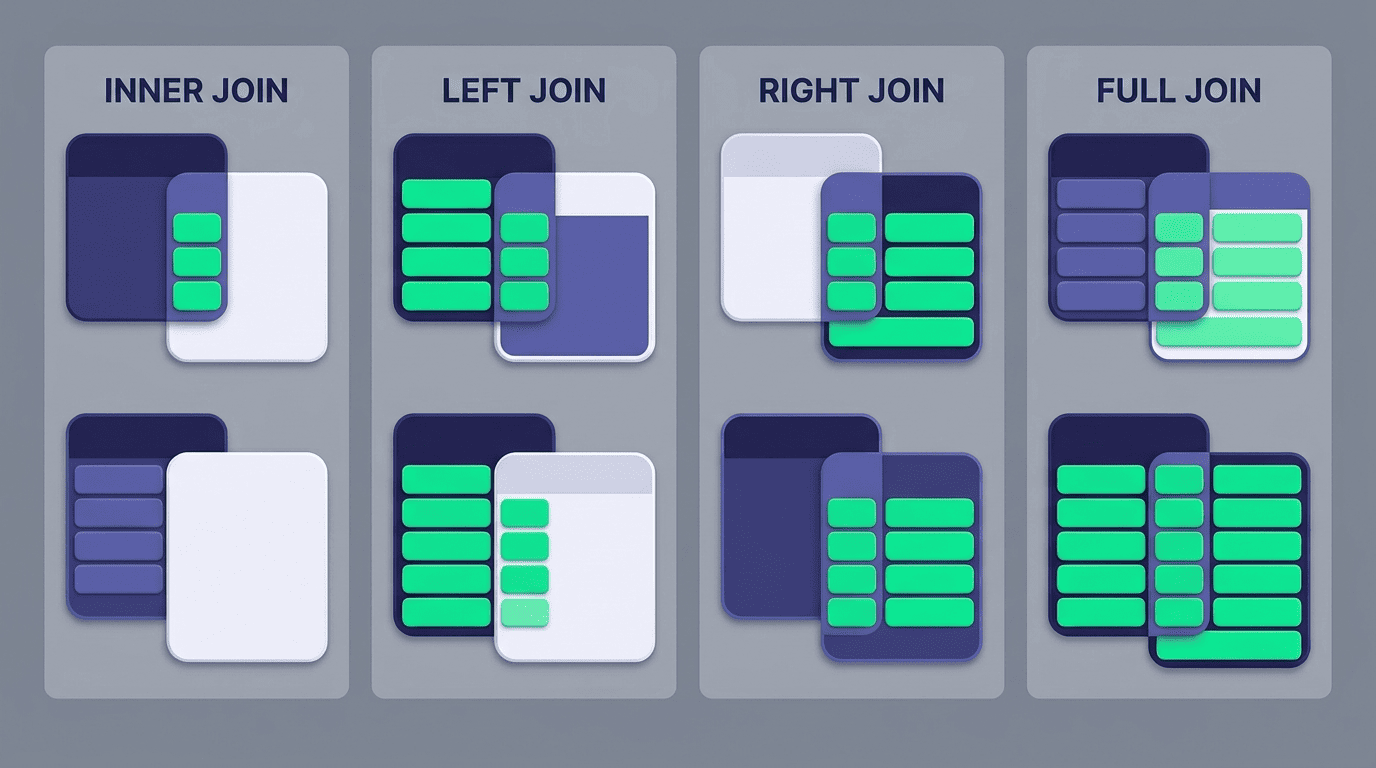
The four JOIN types answer different questions, and mixing them up is one of the most common SQL bugs:
| JOIN type | What it returns |
|---|---|
| INNER JOIN | Only rows with a match in both tables |
| LEFT JOIN | All rows from the left table, plus matches from the right (NULL if none) |
| RIGHT JOIN | Mirror of LEFT — all rows from the right table |
| FULL JOIN | Every row from both tables, matched where possible |
Per the PostgreSQL documentation on joins, a JOIN clause combines rows from two or more tables based on related columns, and the join type controls which unmatched rows survive. The classic bug: a LEFT JOIN meant to keep unmatched left-table rows silently turns into an INNER JOIN the moment you filter on a right-table column in the WHERE clause, because unmatched rows have NULL there and get filtered out. An AI explainer that reads the query and flags this pattern catches it before it ships as a quiet data bug.
Optimizing and Debugging Slow or Broken Queries
A query that returns the right rows can still be slow enough to time out a dashboard. AI code writers built for SQL don’t just generate — they read an existing, working query and suggest concrete changes to make it faster, with a reason attached to each change.
Making a slow query fast
Typical suggestions from an optimization pass: add an index on a column used in a WHERE or JOIN condition, flag SELECT * where only three columns are actually used, spot a missing index on a foreign key, and rewrite a correlated subquery as a JOIN. The tool explains the reasoning behind each change so you’re learning the pattern, not just accepting a diff.
Before trusting any of it, verify with the database’s own optimizer. Per the PostgreSQL documentation on EXPLAIN, running EXPLAIN ANALYZE shows the actual execution plan and timing, which is the ground truth an AI suggestion should be checked against — not the AI’s own explanation of why a rewrite should help.
Verification checklist before shipping an optimized query:
- Run
EXPLAIN(orEXPLAIN ANALYZE) on the original and rewritten versions - Compare estimated vs. actual row counts for large discrepancies
- Confirm the new index doesn’t duplicate an existing one
- Check that a subquery-to-JOIN rewrite doesn’t introduce duplicate rows
- Time both versions on a realistic data volume, not a near-empty test table
- Re-run the original test suite or report against the new query
- Deploy the index separately from the query change so you can isolate which one helped
Fixing errors you can’t decode
The errors that stall a debugging session the longest tend to repeat across projects:
- An ambiguous column reference when two joined tables share a column name
- A
GROUP BYmismatch — a selected column missing from the grouping list - A type mismatch on a comparison, like comparing text to a date
- A syntax error buried inside a long subquery
Feed the error message and the query to an AI code writer, and it returns a corrected version along with the reason the original failed. That’s often faster than parsing a database engine’s own error text, which tends to name the symptom rather than the fix.
One habit matters more than any tool here: always run a generated fix on a copy or in a read-only session first, especially if the original query included UPDATE or DELETE.
SQL Dialect Differences: Postgres, MySQL, SQLite, SQL Server
The same logical query is written differently depending on which database engine runs it, and this is where a dialect-aware AI SQL writer saves real debugging time.
The same idea, different syntax
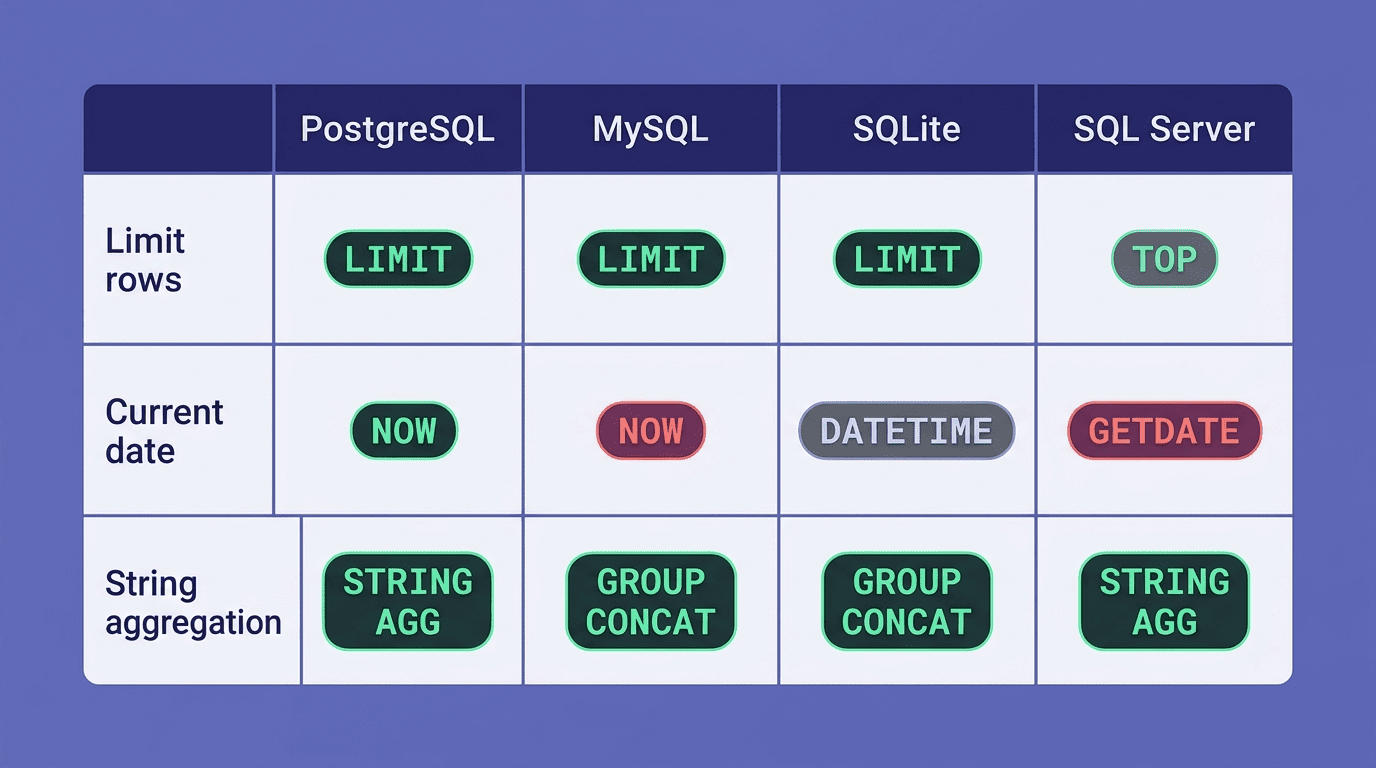
Row limiting, dates, and string aggregation all diverge across engines. PostgreSQL, MySQL, and SQLite use LIMIT n to cap result rows; SQL Server uses SELECT TOP n instead. Getting the current date is CURRENT_DATE or NOW() in Postgres and MySQL, but GETDATE() in SQL Server. Concatenating grouped values into one string is STRING_AGG() in Postgres and SQL Server, but GROUP_CONCAT() in MySQL and SQLite.
| Task | PostgreSQL | MySQL | SQLite | SQL Server |
|---|---|---|---|---|
| Limit rows | LIMIT n | LIMIT n | LIMIT n | TOP n |
| Current date/time | NOW() | NOW() | datetime('now') | GETDATE() |
| String aggregation | STRING_AGG() | GROUP_CONCAT() | GROUP_CONCAT() | STRING_AGG() |
| Upsert | ON CONFLICT | INSERT ... ON DUPLICATE KEY | ON CONFLICT | MERGE |
An AI code generator for SQL that knows which engine you’re targeting writes the right function name the first time instead of leaving you to translate. Official references confirm each side of this table: the PostgreSQL documentation covers LIMIT and STRING_AGG, the MySQL 8.0 reference manual documents GROUP_CONCAT, and the SQLite documentation covers its own LIMIT and date functions.
Why a dialect-aware AI matters
Copy-pasting a Postgres query into SQLite tends to break in small, annoying ways. A few of the common trip-ups:
- SQLite has no native boolean type, according to the SQLite documentation on quirks —
TRUE/FALSEare just aliases for 1/0 - SQLite only supports a limited subset of
ALTER TABLE(rename/add/drop columns, but no direct type changes), per the SQLite ALTER TABLE documentation - SQL Server’s
TOPdoesn’t accept the same syntax asLIMIT, so a copy-pasted query fails outright instead of running with wrong results
A dialect-aware AI writer targets the right syntax up front, so you’re not tracking down a portability bug that only shows up once the query hits a different engine than the one you tested on.
How Accurate and Safe Is AI-Generated SQL?
Accuracy and safety are the two questions worth asking before an AI-generated query touches anything that matters. Neither has a one-word answer.
Trust the output, but verify it before it runs. AI SQL generation is fast and usually right on well-scoped requests with schema context, but it can still hallucinate a column name that doesn’t exist or misread an ambiguous request — «last month» is genuinely ambiguous on the 1st of the month. A basic verification workflow catches most of this:
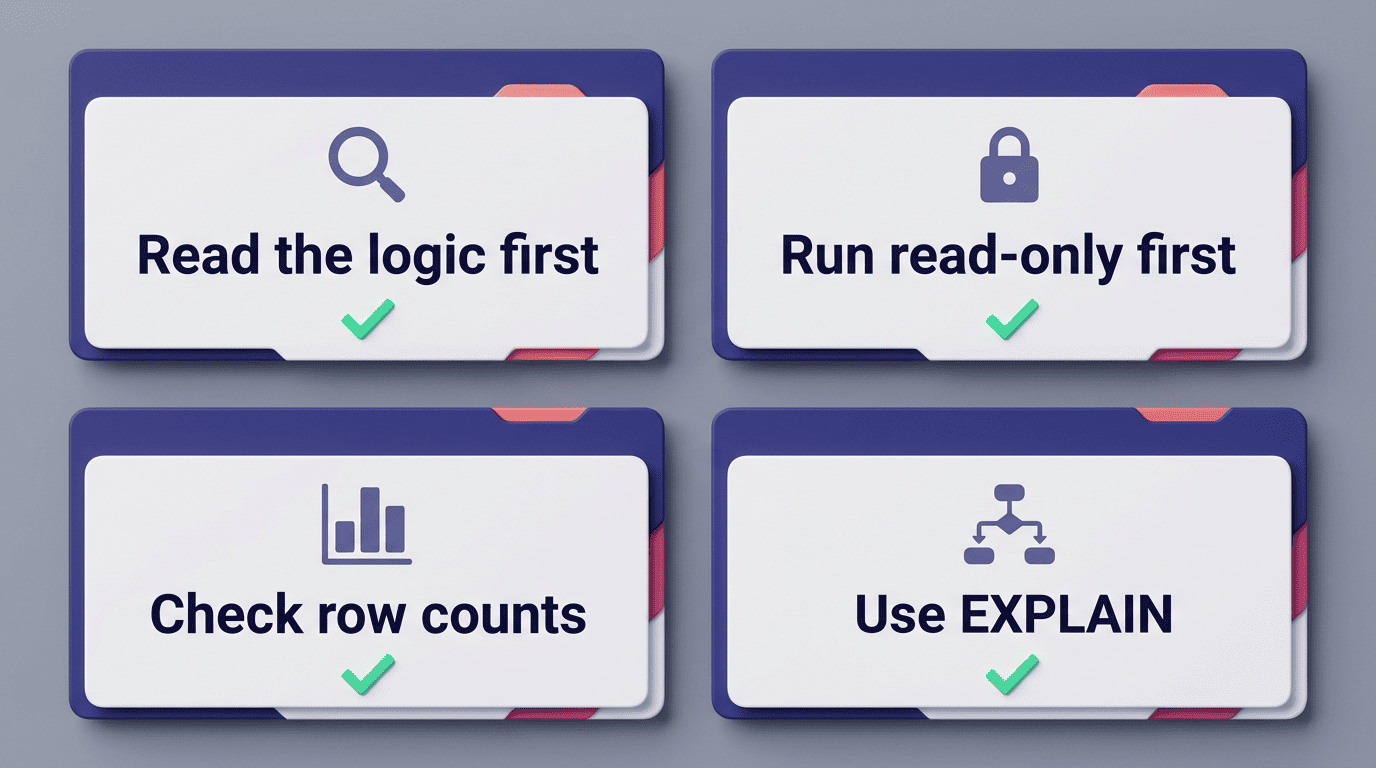
- Read the generated query’s logic before running it, not just the result
- Run it against a read-only connection or a copy of the database first
- Sanity-check row counts against what you’d expect
- Use
EXPLAINto confirm it’s not scanning a table it shouldn’t need to
Never run a generated DELETE or UPDATE blind — review the WHERE clause specifically, since that’s the part most likely to be too broad or too narrow.
Keep an eye on what actually leaves your machine. Look for the same privacy patterns mentioned earlier when evaluating a tool:
- Only schema names and structure leave your machine, not row data
- Credentials stay local rather than being stored on a vendor’s server
- New connections default to read-only
- The vendor documents encryption and compliance posture rather than leaving it implicit
A tool that minimizes what leaves your machine is doing the safer version of the same job.