
What Is an AI Code Generator? How LLM Code Generation Really Works
An AI code generator is a tool that turns a plain-English request into working source code. Under the hood sits a large language model (LLM), trained on billions of lines of public code, which predicts the most likely code for your prompt token by token. An ai code writer can draft a function, a script, or a whole component in seconds, acting less like a search engine and more like an AI coding assistant that already knows the syntax. Whether you call it a text-to-code tool or a prompt-to-code tool, the mechanics underneath are the same.
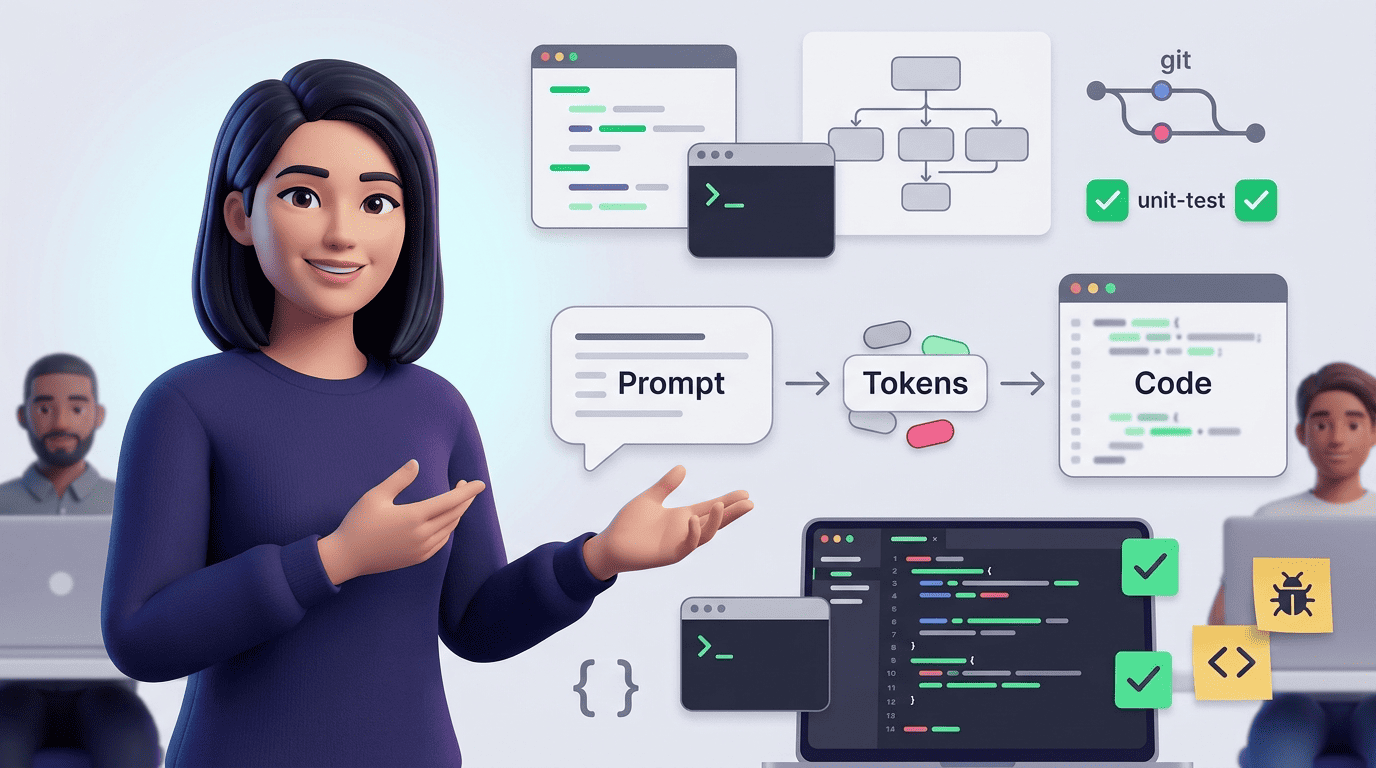
What an AI code generator actually is
An AI code generator is a generative-AI tool that produces source code from natural-language prompts, existing code context, or structured inputs such as schemas and API blueprints. It belongs to the same family of software as image and text generators — it just specializes in one output format: code.
Definition and the «generator vs assistant» distinction
The line between a «code generator» and a «coding assistant» used to be sharper. A pure generator worked like a vending machine: type a prompt, get a block of code back, copy it into your project. A coding assistant, by contrast, lived inside your IDE or repository and suggested completions based on the surrounding files you already had open. In practice that boundary has mostly dissolved. Modern tools do both — you can paste a one-line prompt into a web form and get a function, or you can let the same underlying model watch your codebase and suggest the next ten lines as you type. Either way, the code-generating AI behind the scenes is doing the same job: mapping intent to syntax.
Where it sits in the generative-AI family
An AI code generator is a specialization of the same technology that writes essays or draws pictures. It runs on the same transformer architecture as general-purpose chat models, but it’s trained — or fine-tuned — heavily on source code rather than prose. Products that illustrate the category include GitHub Copilot, Cursor, Replit, Tabnine, and Amazon Q Developer; each wraps an underlying LLM in a different interface, from an IDE plugin to a full development environment.
How LLM code generation works: prompt → tokens → code
This is the mechanical core of every AI program generator, no matter how polished its interface looks.
Step 1 — Your prompt becomes tokens
Before the model can do anything, both your prompt and any surrounding code get chopped into tokens — small chunks that can be sub-words, punctuation, or whole keywords like function or SELECT. The model never sees letters the way you do; it sees each token converted into a numerical embedding, a vector that encodes its meaning relative to everything else the model has learned.
Step 2 — The model predicts the next token
This is the heart of the whole process. The LLM is a next-token predictor: given everything that came before — your prompt plus whatever code it has already generated — it calculates a probability distribution over every possible next token and picks one. Then it repeats the calculation with the new, slightly longer sequence, over and over, until it produces a complete block of code. It’s worth being precise about what this means: the model doesn’t «understand» code the way a compiler parses syntax or a developer reasons about logic. It’s modeling statistical regularities learned from an enormous corpus of real-world code, which is why it can write plausible-looking functions for patterns it has seen thousands of times, and stumble on genuinely novel logic.
Step 3 — Tokens are decoded back into code
Once the model has finished predicting, the sequence of tokens gets decoded back into readable text — usually syntactically valid source code, though not always logically correct code. Settings like temperature and sampling control how much randomness the model injects at each prediction step: lower temperature produces safer, more predictable output; higher temperature produces more varied but riskier suggestions.
Why it works — training on billions of lines of code
These models are trained on massive collections of public repositories, which is exactly why they can imitate common patterns so convincingly. One of the earliest rigorous studies of this behavior is the Codex paper from OpenAI researchers, which evaluated a GPT model fine-tuned on public code from GitHub:
We introduce Codex, a GPT language model fine-tuned on publicly available code from GitHub, and study its Python code-writing capabilities. A distinct production version of Codex powers GitHub Copilot. On HumanEval, a new evaluation set we release to measure functional correctness for synthesizing programs from docstrings, our model solves 28.8% of the problems, while GPT-3 solves 0% and GPT-J solves 11.4%.
Chen et al., «Evaluating Large Language Models Trained on Code» (arXiv:2107.03374)
The paper’s central idea still holds today: the fairest way to judge a code-generating model isn’t whether the output looks tidy, but whether the resulting functions actually pass unit tests.
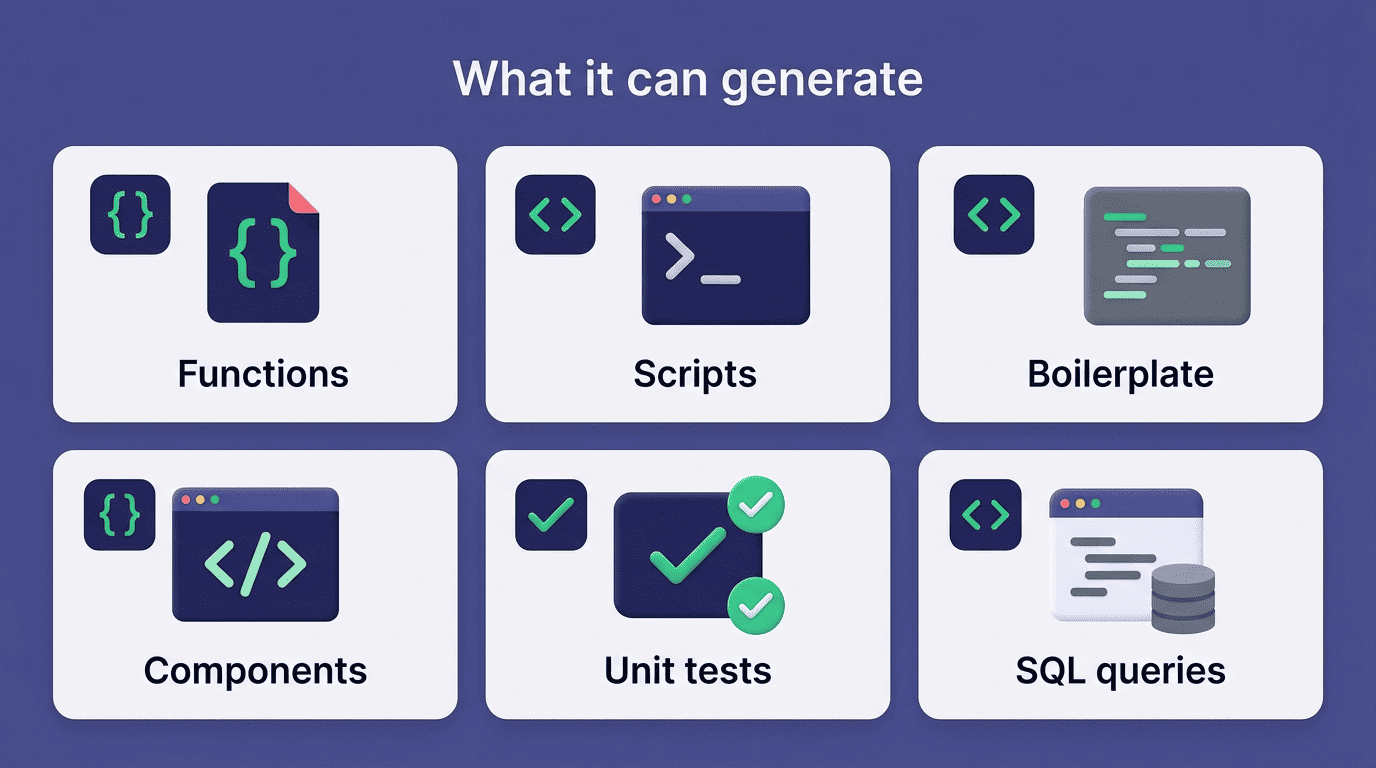
What an AI code generator can produce
An AI code generator’s output range is wider than most people expect on first use.
From single functions to whole components
The typical output list looks like this:
- Standalone functions and utility methods
- Throwaway scripts — parsing a CSV, batch-renaming files, scraping a page
- Boilerplate — a REST endpoint, a React component, a class skeleton
- Unit tests generated alongside the implementation
- SQL queries, regular expressions, and configuration files
- Database migrations and, increasingly, entire small applications built through iterative prompting, sometimes called vibe coding
As a sense of scale, one commercial tool, SuperNinja, advertises the ability to analyze legacy codebases of over 500,000 lines and cut modernization time by roughly 75% — a useful data point for how mainstream this workflow has become, even if exact figures vary by vendor.
Beyond writing: explain, refactor, debug, translate
A modern ai code generator does all of this from a single chat box, not just produce new code from scratch. It can explain someone else’s unfamiliar function line by line, refactor a messy module into cleaner pieces, hunt for a bug described only in plain English, or translate a whole file from Python into JavaScript and back. That range of tasks — write, explain, refactor, debug, translate — is what earns these tools the nickname «AI pair programmer» rather than just a code-writing script.
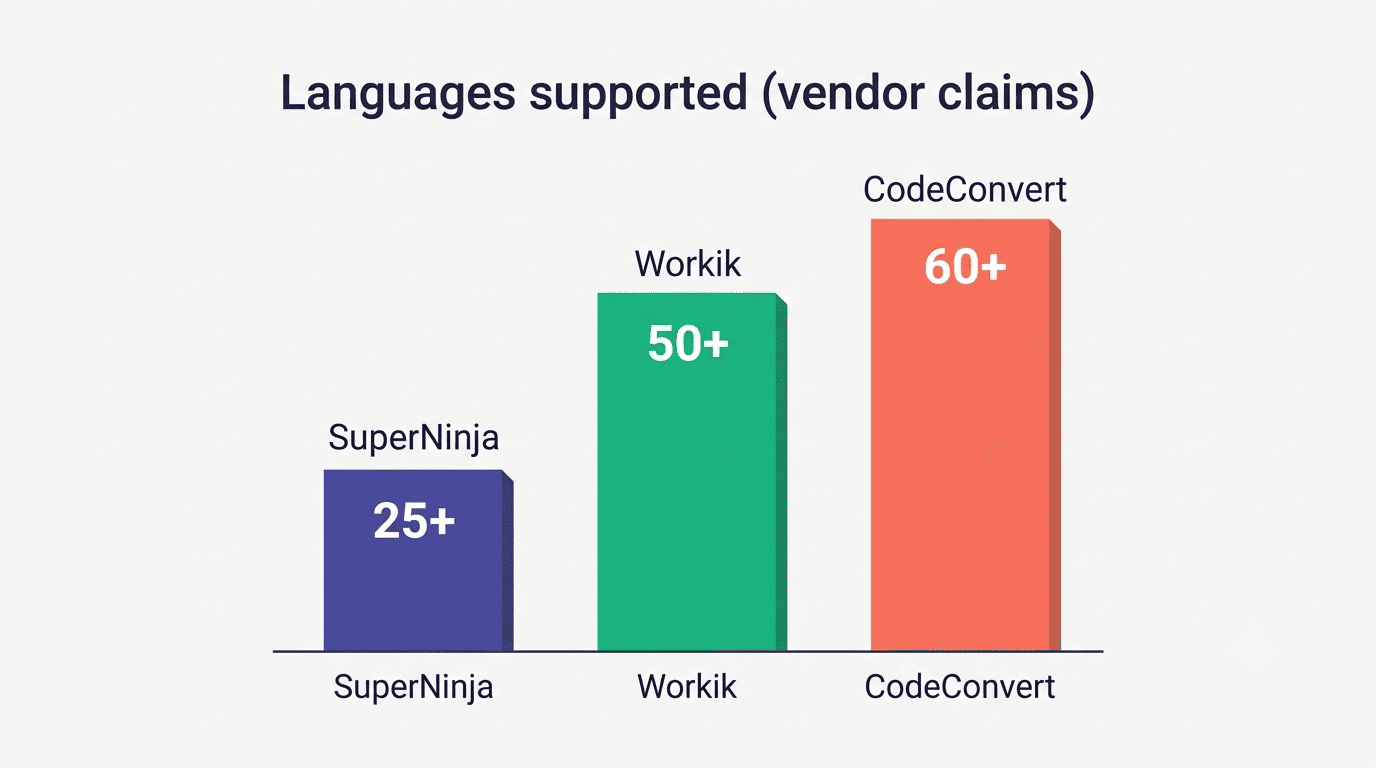
Which programming languages can AI generate?
Language coverage is one of the first things developers check before adopting a tool.
| Vendor claim | Approximate languages supported |
|---|---|
| SuperNinja | 25+ |
| Workik | 50+ |
| CodeConvert | 60+ |
The strongest languages — and why
Marketing pages love round numbers, but quality is not evenly distributed across those 25 to 60-plus languages. Python and JavaScript/TypeScript consistently produce the most reliable output, simply because they dominate the training data — there is vastly more public Python and JavaScript code on the internet than, say, COBOL or a brand-new niche language. According to the Stack Overflow Developer Survey, JavaScript and Python remain among the most widely used languages by professional developers, and the same survey has tracked rapid growth in developers who use AI tools as part of their regular workflow. That popularity feeds a loop: more public code in a language means more training data, which means stronger generation quality in that language.
Frameworks, SQL and markup
Coverage extends well past general-purpose programming languages. Common generation targets include:
- Frameworks — React, Next.js, Vue, Django, Spring Boot
- Query languages — SQL, GraphQL
- Markup and styling — HTML, CSS
- Config and infrastructure — JSON, YAML, Dockerfiles
- Pattern matching — regular expressions
That’s the connective tissue of most real projects, not just the core application logic.
Types of AI code generators
Not every tool in this category works the same way, and picking the right type matters more than picking the «best» brand.
Autocomplete, chat, agents and text-to-code
Inline autocomplete. Tools like GitHub Copilot and Tabnine sit inside your IDE and suggest the next few lines as you type, reading the surrounding file for context. Chat-based generators. You type a request into a conversation window and get a code block back, which you then copy or apply manually. Agentic tools. These work autonomously across a repository — reading multiple files, writing code, running tests, and iterating on failures without a human typing every step; Cursor’s agent mode, Claude Code, and SuperNinja fall into this category. Text-to-code web generators. Standalone sites like CodeConvert and zzzcode take a prompt or a code snippet and return converted or generated code without needing an IDE at all. Design-to-code tools. Figma Make, for instance, turns a visual mockup directly into HTML, CSS, and JavaScript.
Pricing varies by type, and it’s worth comparing before committing to one:
| Tool | Type | Typical price |
|---|---|---|
| GitHub Copilot | Inline autocomplete | ~$10/month |
| Cursor | Agentic IDE | ~$20/month |
| CodeConvert | Text-to-code web tool | Free tier, ~5 generations/day |
| Figma Make | Design-to-code | Included with paid Figma seats (~$16/mo) |
Strengths and limitations you must know
No AI code generator is a substitute for engineering judgment, and being clear-eyed about that upfront saves debugging time later.
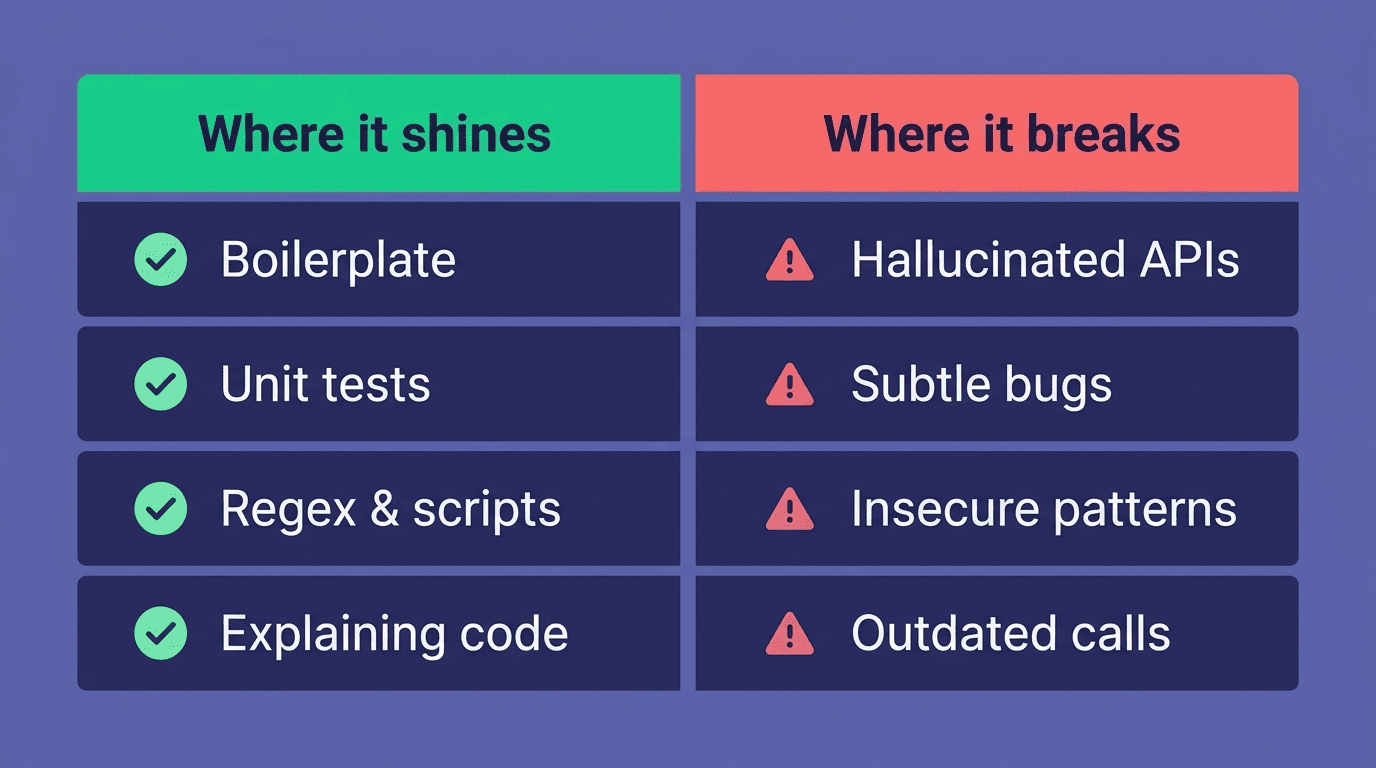
Where it shines
Speed on repetitive work is the standout strength:
- Boilerplate and scaffolding for new files or endpoints
- Unit tests written alongside the implementation
- Regular expressions and one-off parsing scripts
- «How do I do X in language Y» lookups
- Explaining unfamiliar or legacy code
It’s also genuinely useful for beating the blank-page problem — getting a rough first draft of a function down so you can start editing instead of staring at an empty file.
Where it breaks — hallucinated APIs, subtle bugs, security
Here’s the honest downside, and the failure modes worth watching for:
- Hallucinated functions or libraries that don’t actually exist
- Subtle logic bugs that look correct at a glance
- Insecure patterns copied from flawed training examples
- Outdated or deprecated API calls
Unless it’s an agentic tool running code in a sandbox, the model never actually executes what it writes; syntactically clean output is not the same as correct output.
How to review AI-generated code safely
Treat every generated snippet as a draft, never as a finished deliverable.
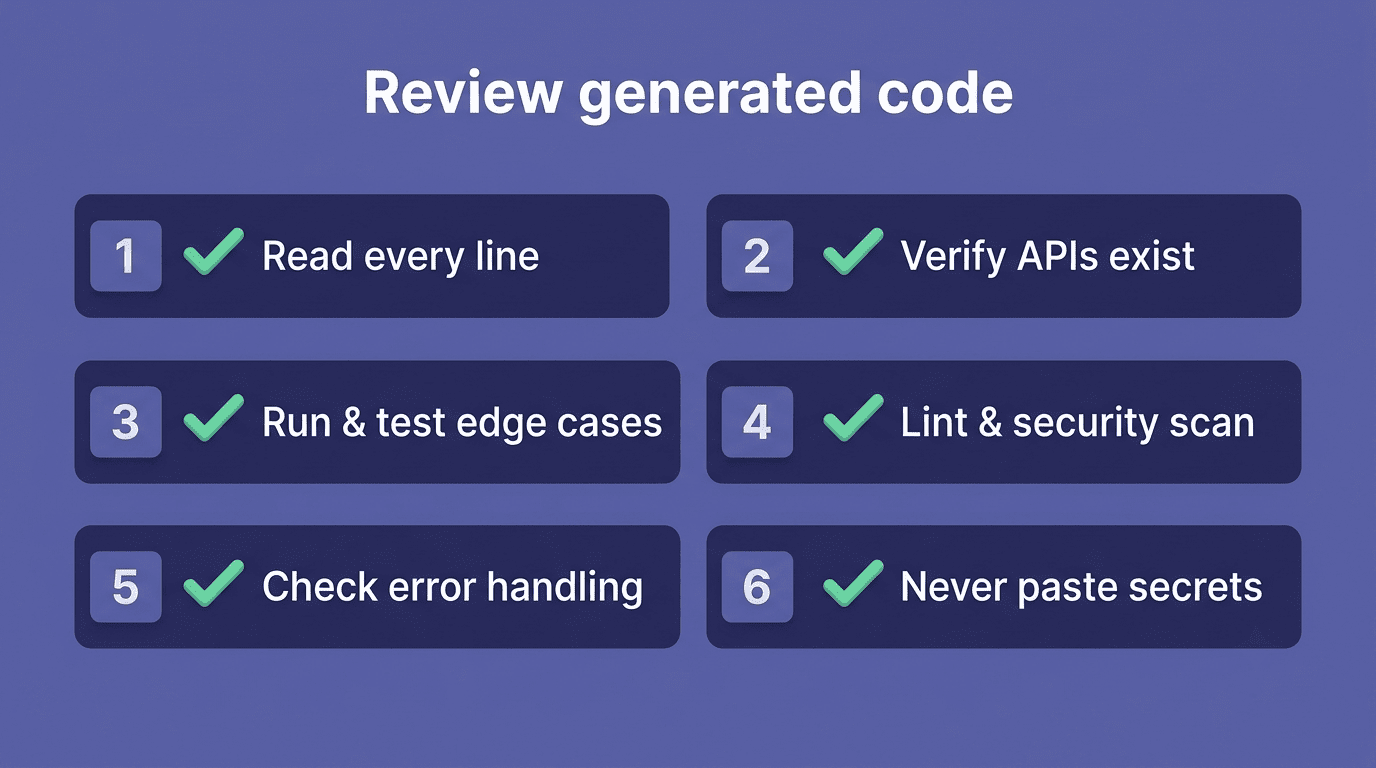
A practical review checklist
- Read and understand every line before merging it — never accept code you can’t explain.
- Verify that every function and library it calls actually exists and does what the model claims.
- Run it and test it, including edge cases, not just the happy path.
- Run a linter and a security scanner over the output.
- Check error handling and input validation explicitly — generators often skip both by default.
- Never paste secrets, API keys, or personal data into the prompt itself.
Treat it as a fast junior, not an oracle
The most useful mental model is to relate to it as a fast, tireless junior developer whose work you always review before it ships. Used this way, an ai coding assistant makes you faster without shipping code you can’t stand behind.